 Physique Pal
Muscle analytics
See your training show up on your body.
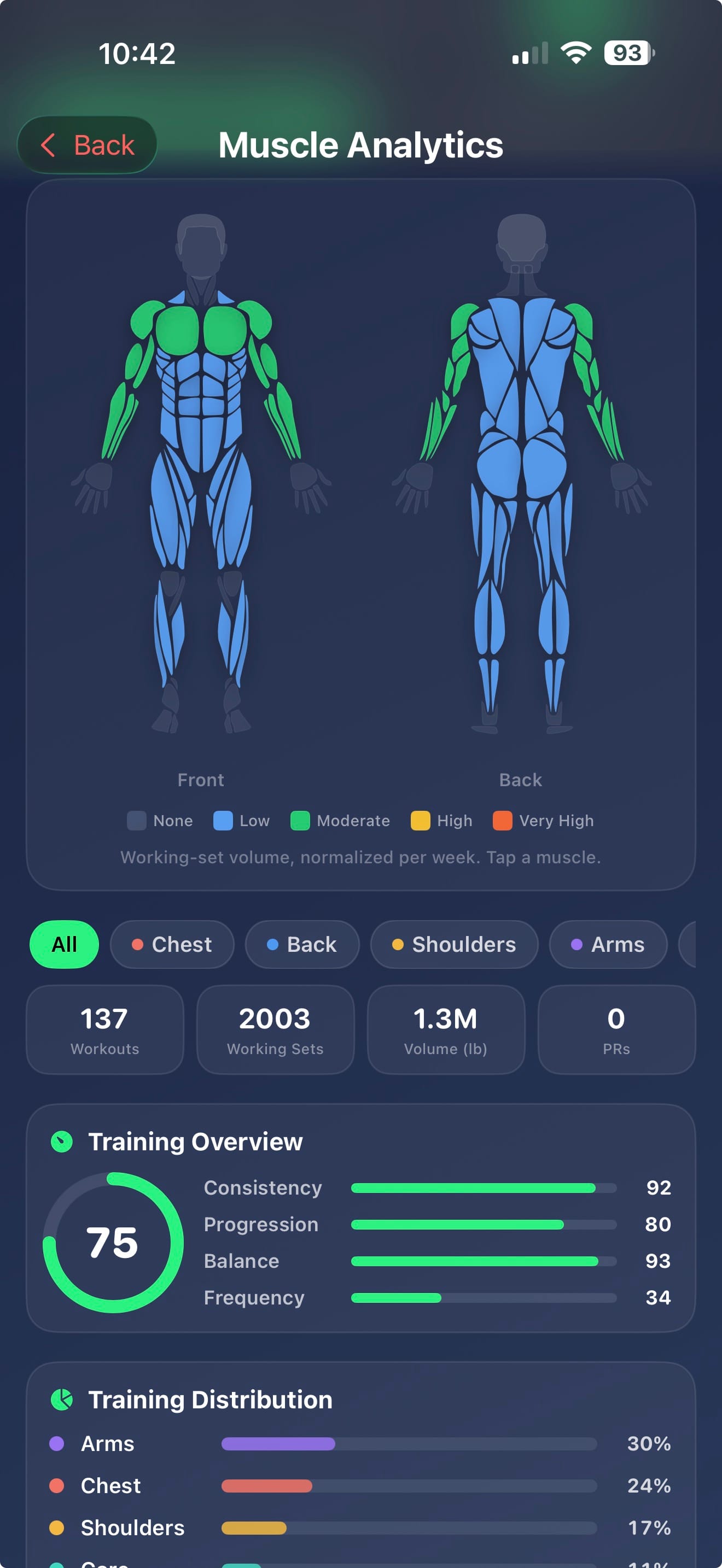
Physique Pal maps every set you log onto a full-body heatmap — so which muscles you are actually training becomes something you can see, not something you assume.
Download Free on the App StoreFree to start · No account required
Your split says balanced. Your sets might not agree.
Most people can describe their training split in one sentence and could not tell you how many hard sets their rear delts got last week. Those are different questions, and only the second one drives what your body actually does.
Programme drift is quiet. A movement gets dropped because the machine was busy. One exercise creeps up in sets because you enjoy it. A muscle group gets hit indirectly on two days and never directly on any. Nothing about that feels like a mistake in the moment, and none of it shows up until months later.
A muscle heatmap makes the gap visible. It takes the sets you actually logged — not the plan you intended — and paints them onto a body diagram.
It is built from your log rather than your intentions, which is why it tends to disagree with people. That is the entire value of it.
Built from the sets you logged, not a questionnaire
Every exercise in Physique Pal's library is mapped to the muscles it trains. When you log a set, that volume is attributed automatically — no tagging, no manual categorising, nothing extra to maintain.
The result is a heatmap where colour intensity means training volume. Dark means well covered. Pale means you have been skipping something. Because it is built from your log rather than your intentions, it tends to disagree with people, which is the entire value of it.
- Front and back body views
- Volume attributed per muscle group from your logged sets
- Recovery state, so you can see what is still fatigued before you train it again
- Time windows, so you can look at this week or the last few months
Recovery, not just volume
Volume tells you what you have done. It does not tell you what you are ready to do. A muscle group you hammered yesterday and one you have not touched in ten days can look similar on a weekly volume chart and could not be more different when you are deciding today's session.
Physique Pal tracks how recently and how hard each group was trained, so the heatmap reads as a readiness map as much as a history. If your legs are still deep in it and your back is fresh, that is visible before you pick the workout rather than halfway through the first set.
Ask the coach about anything on the map
Seeing that your hamstrings are pale is useful. Knowing what to do about it is the part that changes training.
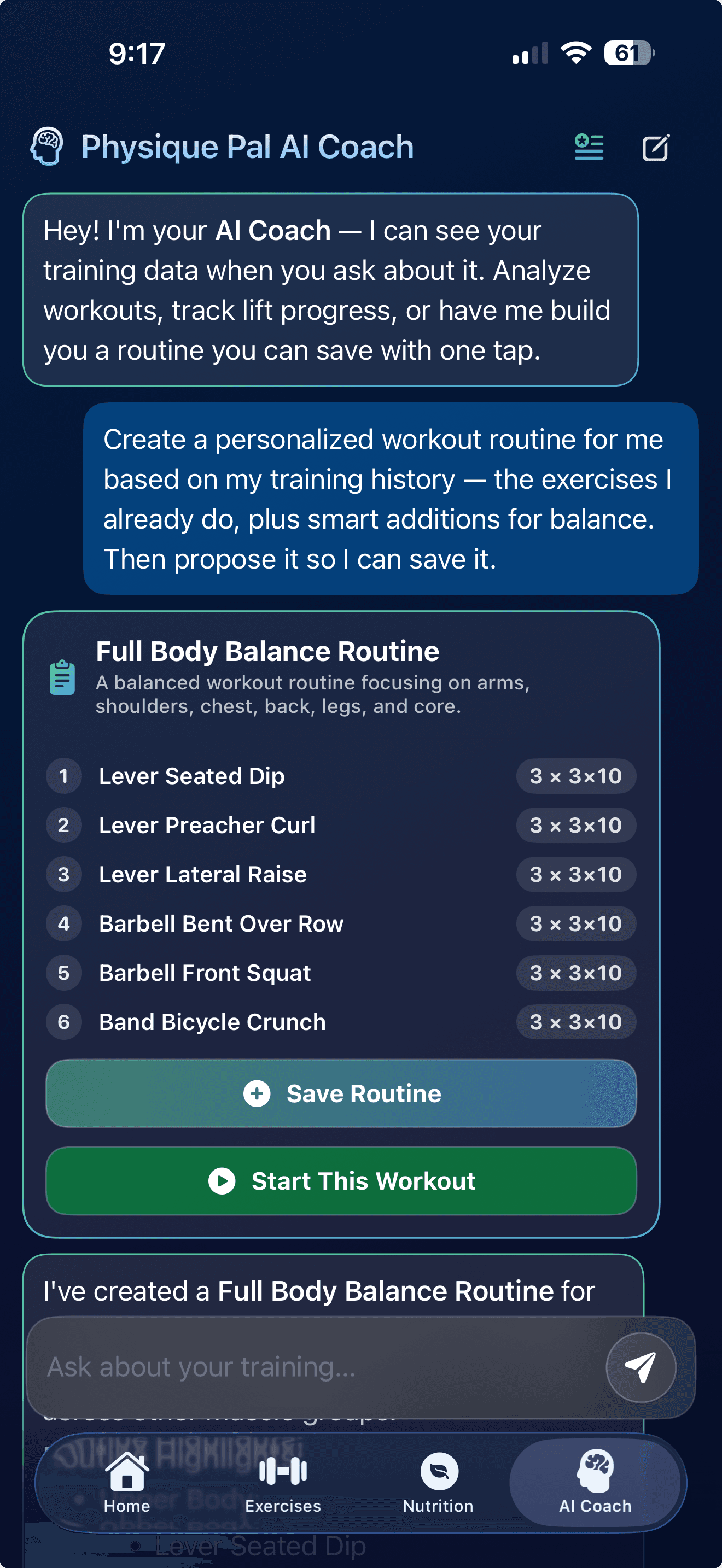
The AI Coach reads the same logged sets the heatmap is built from, so you can ask why a group is lagging or what to add next session and get an answer grounded in your real numbers — the exercises you actually do, the weights you actually use — rather than generic advice.
Muscle heatmap questions
What is a muscle heatmap?
A body diagram that shades each muscle group according to how much you have trained it. Instead of reading a table of set counts, you glance at a figure and immediately see what is well covered and what is being neglected.
How does Physique Pal know which muscles an exercise trains?
Every exercise in the library — over a thousand of them — is mapped to the muscle groups it works. When you log a set, the volume is attributed automatically. You do not tag anything yourself.
Does it include indirect work?
Yes. Compound lifts contribute to every group they involve, so rows count toward your biceps and presses toward your triceps. This is exactly where people's mental model is usually wrong — direct arm work often turns out to be less necessary, or more, than they assumed.
How far back does the heatmap look?
You choose the window. A short window shows what you have done this week and what is still recovering; a longer one shows whether a muscle group has been consistently underworked rather than just missed once.
Is the muscle heatmap free?
Muscle Analytics is a Premium feature. Logging sets, building routines, the full exercise library, rest timer and history are all free — the heatmap and the AI coaching built on top of that data are part of Premium, which starts with a 3-day free trial.
Find out what you've actually been training
Download Physique Pal free, log a few sessions, and let the heatmap tell you where the gaps are. Premium starts with a 3-day free trial.
Download Free on the App Store